
Novamira now supports Enfold
After working extensively with Enfold’s framework and Advanced Layout Builder and continuously enhancing the theme code, we also wanted to explore new developments in AI agents and make them accessible to Enfold users.
We found a user-friendly and accessible solution in Novamira. Novamira provides an MCP (Model Context Protocol), enabling standard AI clients to communicate with external tools and data. Claude Code, Cursor, VS Code, Windsurf, Zed, OpenCode, Codex, Gemini CLI, Cline, Continue, and others already support it.
Novamira goes beyond a generic MCP server: it gives your AI full access to your WordPress site, including PHP execution, database queries, and file editing — from any MCP client.
Since Enfold — like every theme and plugin — has its own program logic and data structure, detailed instructions and PHP-level capabilities are required to make Enfold fully accessible to Novamira and AI Agents.
We have therefore developed an integration plugin for Enfold and Novamira and made it available on GitHub.
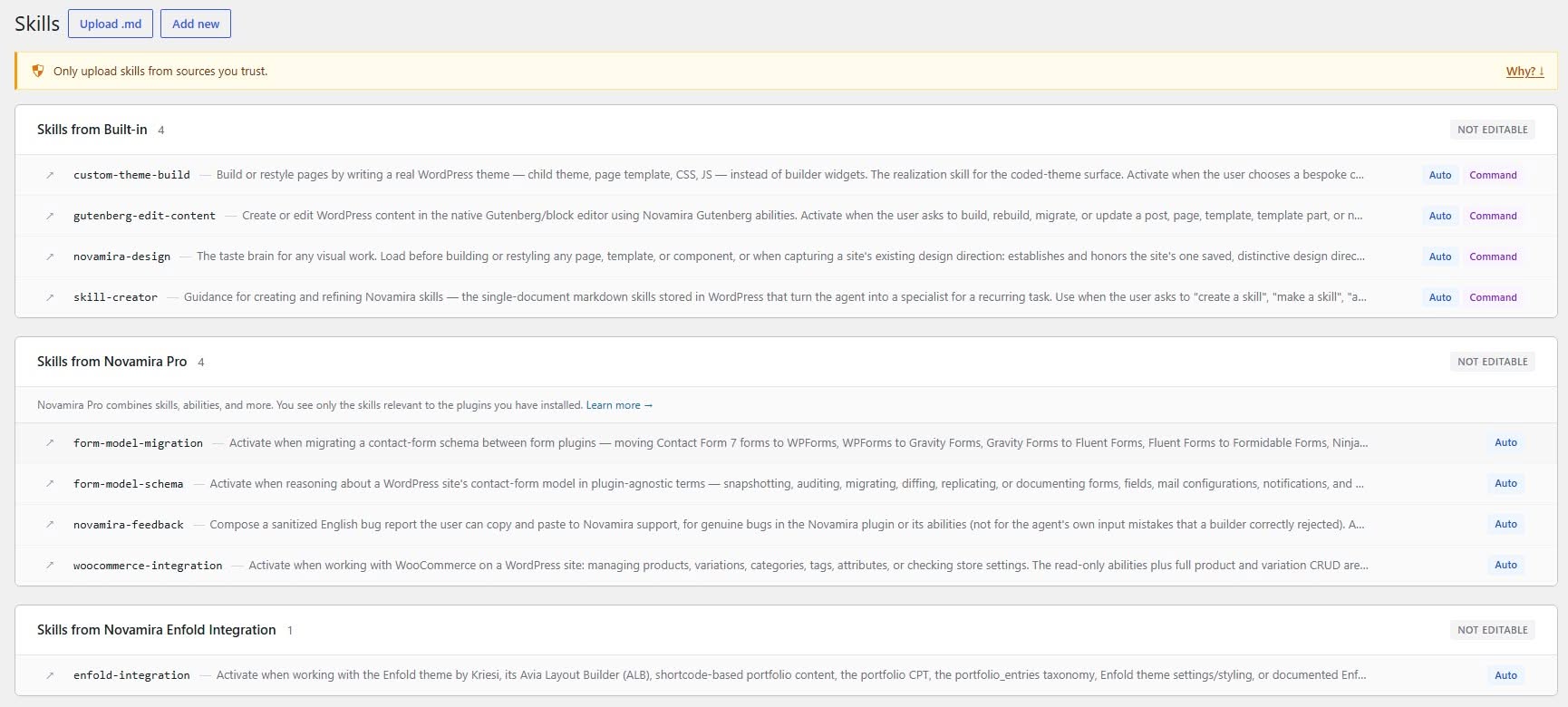
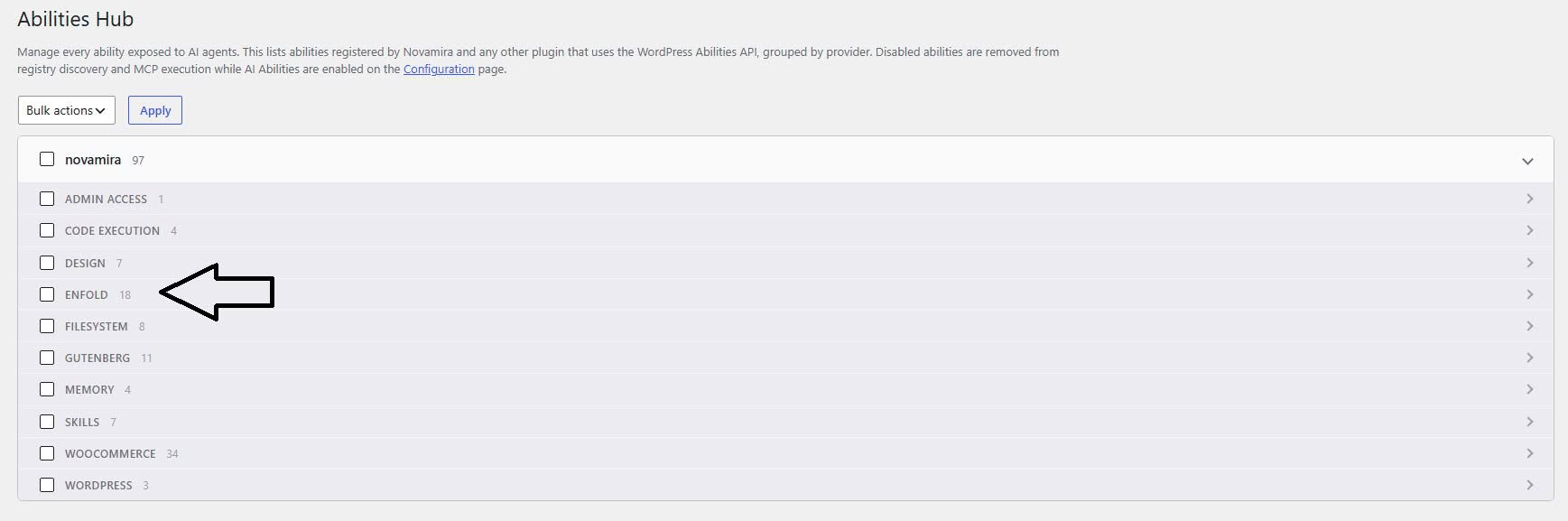
To use it, you need to install Novamira first. Then download our Enfold integration plugin like any regular WordPress plugin, upload it to your WordPress site, and activate it. In the WordPress admin menu, you should then see an Enfold Skill under Novamira > Skills, as well as the Enfold Abilities under Novamira > Abilities Hub.
Next, Novamira needs to be connected to an AI agent. Based on our experience, we recommend creating a project folder on your local PC that contains following subfolder:
- the Enfold theme folder,
- the Novamira plugin folder,
- the Novamira Enfold Integration plugin folder,
- and optional the Novamira Pro plugin folder.
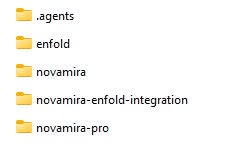
Initialize the AI Agent with the project folder – this workflow allows the AI agent to access both the Enfold theme code and the Novamira code. An mcp.json file (.agents folder) in your project folder is also required so that the AI agent can connect to the WordPress website and Enfold. Detailed instructions are available in the Novamira documentation.
After that, AI agents should be able to create and edit Enfold pages, including portfolio entries, without problems. The styling settings configured under Enfold > Settings can be retrieved by the AI agent. AI agents can also set layout, header, and footer options. They can also distinguish between Advanced Layout Builder pages and standard WordPress pages.
Example prompts
Following prompts worked without any problems in our tests:
- “Copy the slider, the icon list, and the third section from page XY
to portfolio page ZY” - “Create a new portfolio page with fullwidth layout and without header
and take the slider from the top of page XY” - “Adjust the colors of the headlines to alternative primary color”
- “Set the color of body text on page XY to #777777”
The AI Agent can use the abilities to query/set the right post meta fields and to build proper
Advanced Layout Builder entries or standard WordPress pages. We have also (surprisingly) achieved very good results with affordable models like Deepseek V4 Pro or Flash 07/31, GPT 5.6 Luna and Minimax M3.
Even free AI Agents like Freebuff worked flawlessly.
Dev and staging only
Novamira is for development and staging environments only. Always keep backups. You choose the AI model, you provide the API key, you review the output. We only provide the integration plugin.
Novamira and our integration plugin is open source. You can audit every line of code on Github: Novamira and Enfold Integration Plugin.